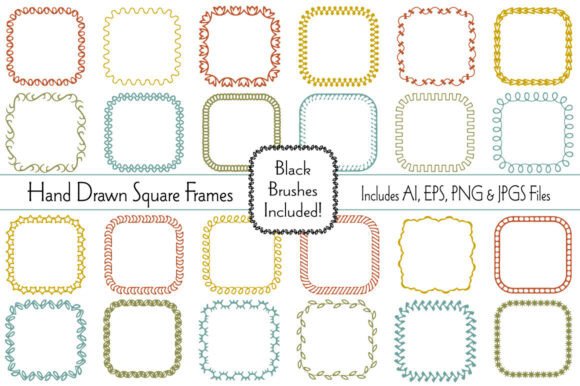
Hand Drawn Border Patterns with Brushes: A Creative Resource Done Right
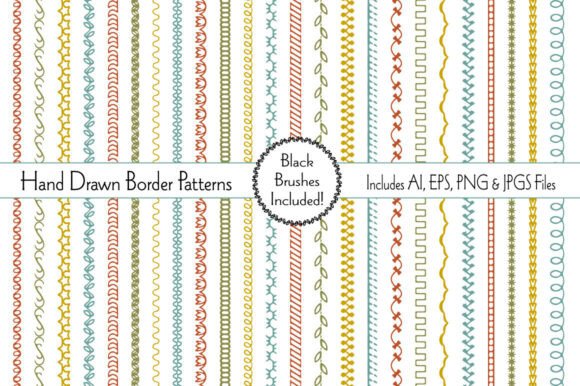
When it comes to crafting with digital tools, the right design elements can make a big difference in both the process and the final product. Hand Drawn Border Patterns with Brushes offers a versatile collection of 24 unique embroidery-style borders in soft, retro tones. These patterns are perfect for a wide range of creative projects—from greeting cards and logos to scrapbook pages and homemade gift wraps. Each design comes with scalable black brushes in separate files, allowing for easy customization in size, color, and application.
Common Missteps and How to Avoid Them
While these border patterns are designed for flexibility and ease of use, there are a few common mistakes users tend to make—especially when first exploring this type of resource. Understanding these pitfalls can help you get the most out of your purchase and avoid frustration down the line.
1. Overlooking File Compatibility
One of the first things to check is whether your design software supports the file formats included. This package provides both AI and EPS files, which are ideal for Adobe Illustrator and similar vector-based programs. If you're using a different tool—like Canva, Photoshop, or Affinity Designer—you may need to rely on the provided JPG or PNG files instead.
What to do instead: Before downloading or purchasing, confirm that your software supports vector files or is capable of handling transparent PNGs. If not, reach out to the seller for alternative formats or test with a sample if available.
2. Not Checking the Scale and Resolution
Each border pattern is 12 inches wide, but thickness and detail vary across the collection. Some users assume all borders will scale uniformly without losing quality, which isn't always the case—especially when using raster images like JPGs or PNGs.
Better approach: Stick to the vector files (AI or EPS) when possible, especially for print projects. These maintain clarity at any size. If you must use a PNG, make sure it's at a high resolution and preview it at actual size before printing.
3. Ignoring the Color Flexibility
The soft retro color palette is particularly well-suited for baby showers, Easter cards, and vintage-style designs. However, some users feel limited by the provided colors and don't realize how easy it is to recolor the brush elements.
Tip: Since the black brushes are in separate files, you can easily change their color in your design software. This opens up endless possibilities for matching brand colors, seasonal themes, or personal preferences.
4. Underestimating the Use Cases
Many buyers limit themselves to paper-based crafts, not realizing how adaptable these patterns are. From digital scrapbooking to web graphics, and even fabric printing or vinyl cutting, the applications are far more diverse than they might appear.
Idea: Try using these borders as decorative dividers on blog posts or social media templates. You can also layer them with textures or watercolor effects for a more complex design.
What to Check Before You Buy or Use
Making the most of Hand Drawn Border Patterns with Brushes starts before you even open the files. Here are a few key points to verify:
- License type: Make sure the purchase allows for both personal and commercial use if you plan to sell items made with the patterns.
- File organization: Look for clearly labeled files and folders. This makes it easier to find the right pattern and brush combination quickly.
- Support and updates: Check if the seller offers customer support or future updates to the collection.
Realistic Examples and Better Practices
Let’s say you're designing a set of baby shower thank-you cards. You download the PNG versions of the border patterns and place them directly into your layout. But when you print, the edges look pixelated. Why? Because you used a low-resolution image and scaled it too large.
A better approach would be to use the AI or EPS file in a vector editor, ensuring the border scales cleanly. If you’re not comfortable with vector tools, look for a high-resolution PNG that’s already sized close to your intended print dimensions.
Another example: you're creating a logo and want to incorporate a hand-drawn border for a soft, vintage feel. You pick a thick border, but it ends up overpowering the rest of the design. Instead, try selecting a thinner pattern or using only a section of the border to frame your logo subtly.
Final Thoughts
Hand Drawn Border Patterns with Brushes is more than just a design asset—it's a flexible tool that adapts to your creativity. Whether you're a hobbyist scrapbooker or a professional designer building a brand kit, this collection gives you the freedom to explore without limits. By avoiding common mistakes and understanding the nuances of file types, color adjustments, and scaling, you can ensure your work looks polished and professional every time.
Take the time to explore the included files, test them in your preferred software, and experiment with different color combinations and applications. With a little planning and attention to detail, these patterns can become a go-to resource in your creative toolkit.